Figma Make Changed How I Think About Building UI
On this page
I've been playing around with Figma Make lately, and it's been one of those rare moments where a tool doesn't just "improve a workflow" — it changes what you believe is possible.
Figma Make (especially with AI in the loop) feels like the future of front-end development. The gap between an idea and a usable interface is collapsing fast. What used to take weeks or months of UI design, iterations, and design system work can now drop to hours. Honestly, in many cases the AI is producing designs that are better than what I would've shipped on my own.
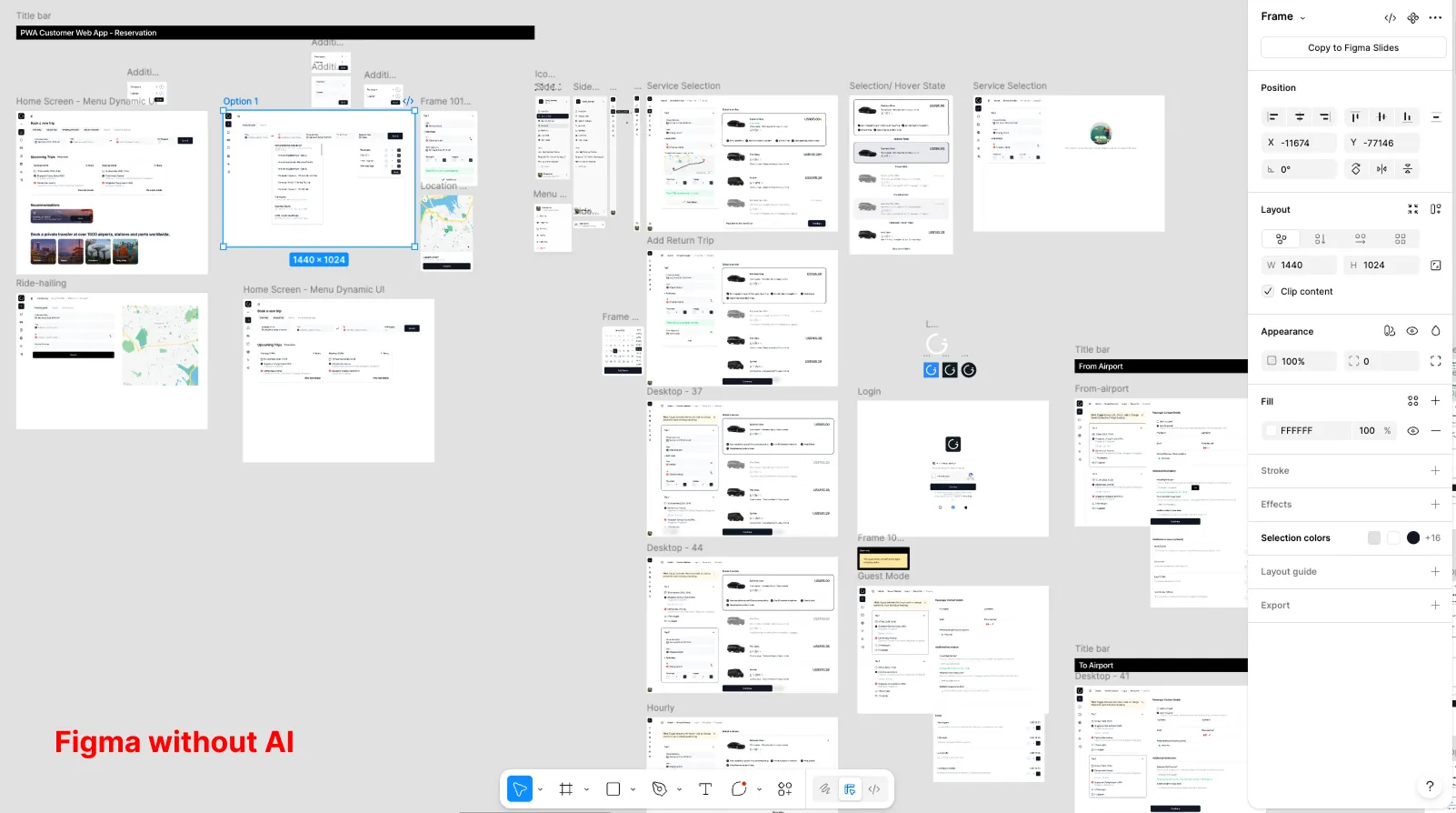
Below shows an example of my figma file with weeks of design, and planning and drawing by hand.
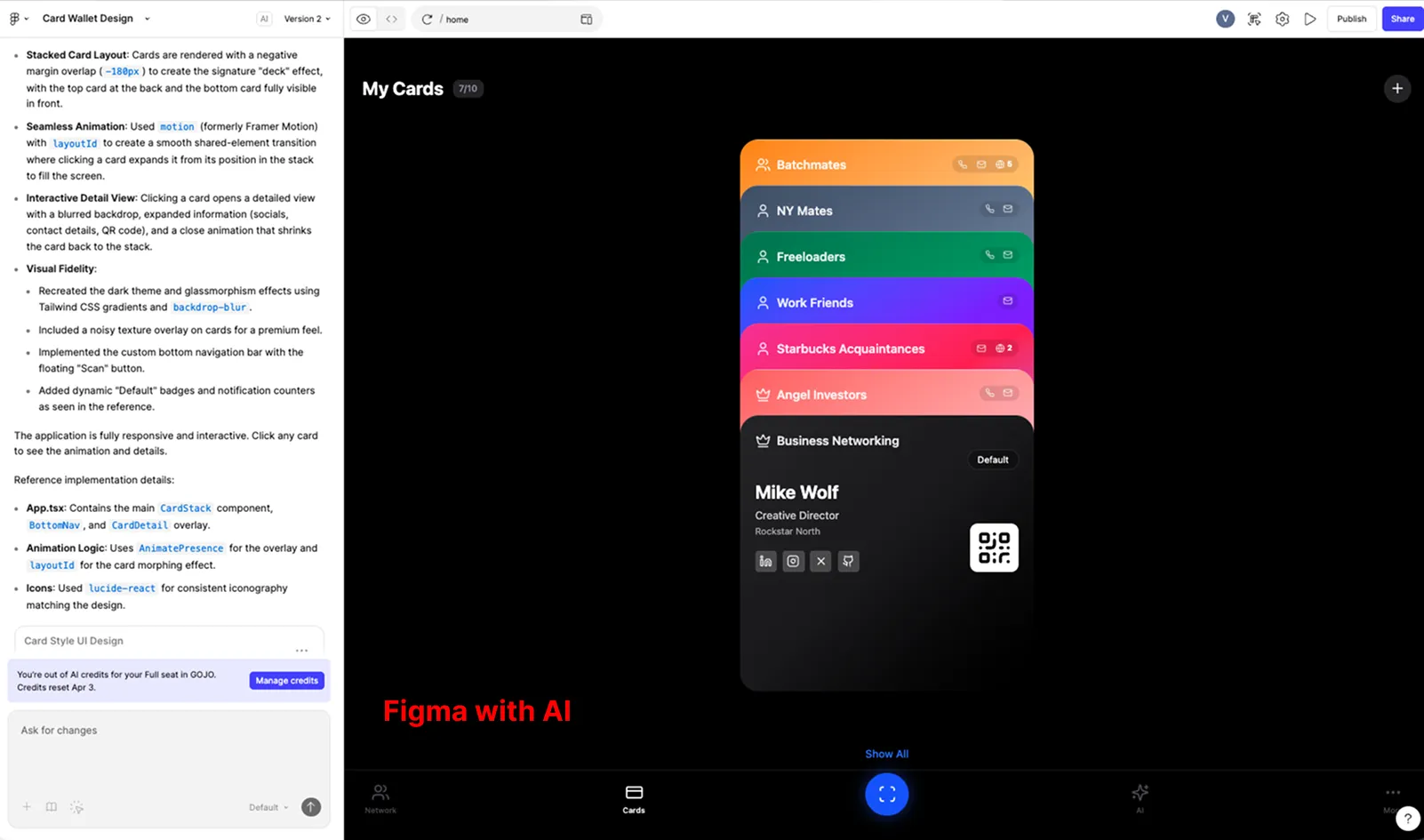
This is what Figma make produced with working code interaction. I can have a conversations with AI to make tweaks to the design and UI behavior.
And the biggest unlock is this: if you have a clear idea and you understand the business, software is getting dramatically faster to build. That's both exciting and… a little disorienting.
It's like commanding, not drawing
Here's the thing that really blew my mind: I wasn't drawing or moving pixels on a screen anymore. I was having a conversation with an AI agent, asking it to make changes for me.
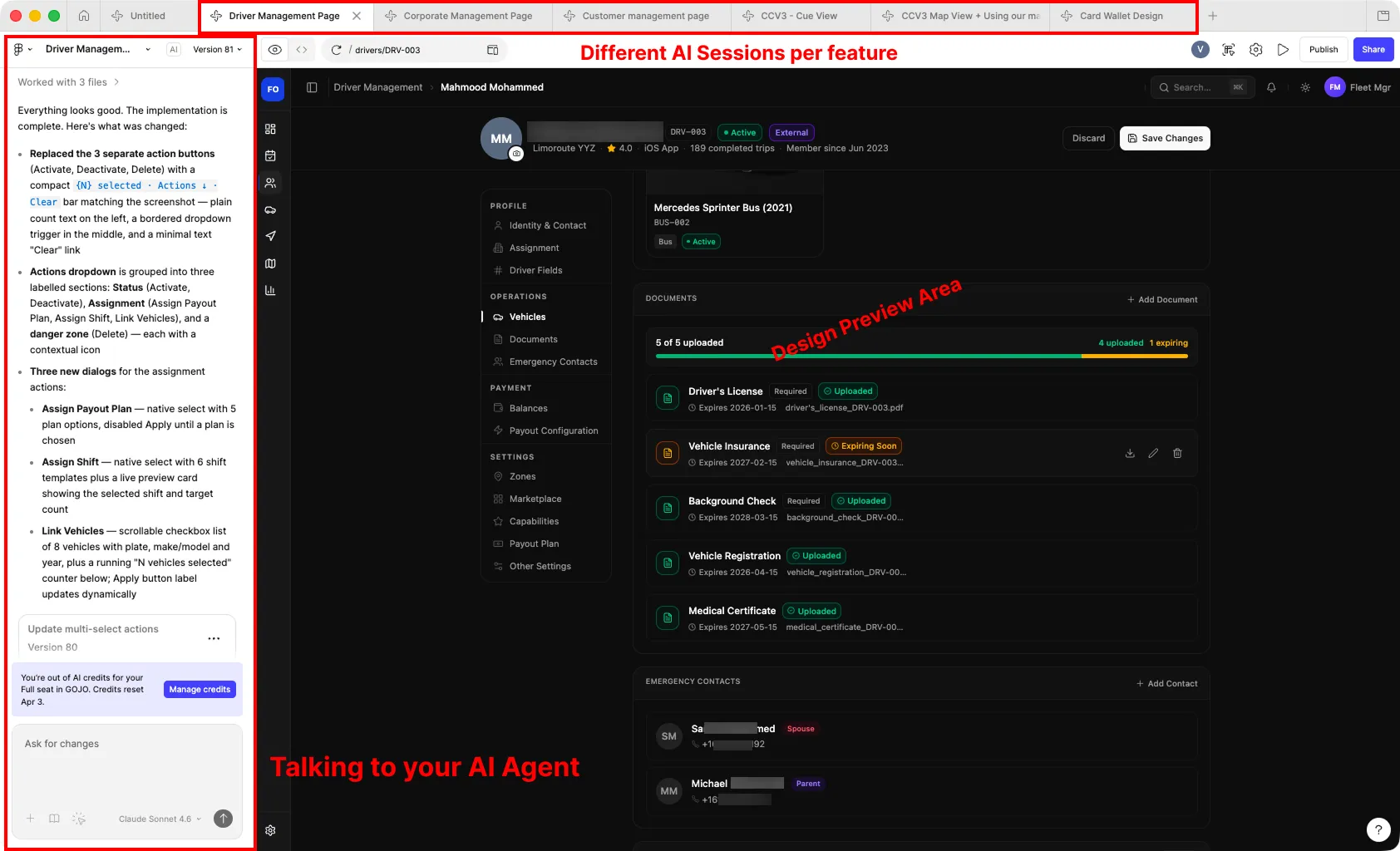
I could just paste a screenshot of a component or UI layout I wanted, and it would just work. Better yet, I could work on multiple canvases at the same time — almost like browser tabs, but for each feature, component, or page of my project. Each one had its own separate agent conversation going.
What in the world? The AI designs for you. It even writes clean code, leveraging top models to do the work. It's a completely different paradigm: you're not the craftsman anymore, you're the director.
The part nobody talks about: credits, cost, and a token economy
Once you start using Figma Make seriously, you can't ignore the economics.
On the Figma Pro plan, you get 3,000 credits per month (roughly 60 request/ prompts) to use AI. From what I've seen:
- Smaller UX flows or a lightweight management CRM might cost around 50–200 credits.
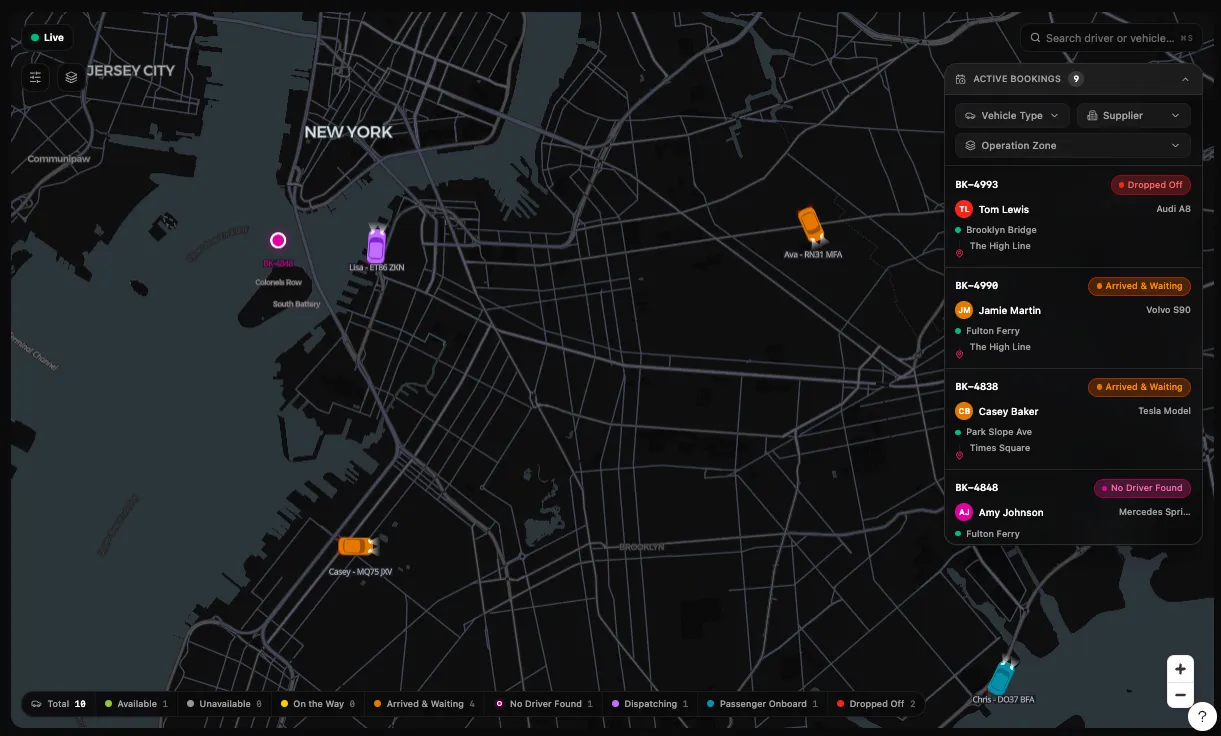
- But if you push into complex territory — like a fully functioning map-heavy interface, with a complex web socket mock-server backend — the cost can spike to the equivalent of $3,000–$5,000 worth of tokens.
During the Figma Experimental phase, I had extensive access to explore Figma Make's capabilities — I used it heavily to redesign our team's fleet management dashboard. I'm grateful for that unlimited trial period that let me learn without cost concerns.
It also makes me think we're going to see a broader shift toward a token-based economy for creation: not just paying for software subscriptions, but paying per "unit of intelligence/work" consumed.
The emotional whiplash
After experiencing this speed, I'm not sure how I'm supposed to go back to "normal." The old process — long design cycles, heavy handoffs, slow iteration — suddenly feels like working in slow motion.
That doesn't mean the old process is wrong. But it does mean the bar is changing. When iteration becomes cheap and fast, expectations follow.
A shift for developers: From component builders to system integrators
The most profound change isn't just speed—it's what developers actually do. Figma Make generates code that's clean, well-structured, and often better than what I would write manually. With Sonnet 4.6 handling the implementation, the code I get includes:
- Proper React component patterns
- Tailwind CSS that's actually maintainable
- Working state management and event handlers
- Responsive design considerations baked in
For developers, this means your role shifts from:
- Writing every UI component from scratch
- Spending hours on pixel-perfect styling
- Debugging CSS layout issues
To:
- Understanding system architecture
- Connecting components and data flows
- Making strategic decisions about state management
- Reviewing and iterating on generated code
The code is already there, production-ready. You're not starting from zero—you're starting from a working prototype that's often better than your first draft would be.
What I'd differently next time (to spend fewer credits)
If I could redo the same project with what I know now, I'm confident I could cut the token spend significantly. The biggest lesson: AI outputs are only as efficient as your constraints are clear.
Here's the checklist I'm adopting:
- Create a design style guideline up front
- Decide the rules you want the AI to follow, then explicitly add them into Figma Make's rules
- Lock in styling (color, fonts) and the UI library early, and keep it consistent
- Use smaller/default modes for small tasks instead of throwing the biggest model at everything
- For coding, Sonnet 4.6 is still the best in my experience
- Ask the AI to use plan mode to review any changes and update the plan before doing the actual design or coding. This generally has better results compared to just vibe coding. This is for the AI to double check its work.
- Make a habit to update the skills or guidelines.md file to make sure the AI doesn't make the same mistake on other projects. Think of this file as a memory or recipe book — a set of instructions you want the AI to follow consistently across every session.
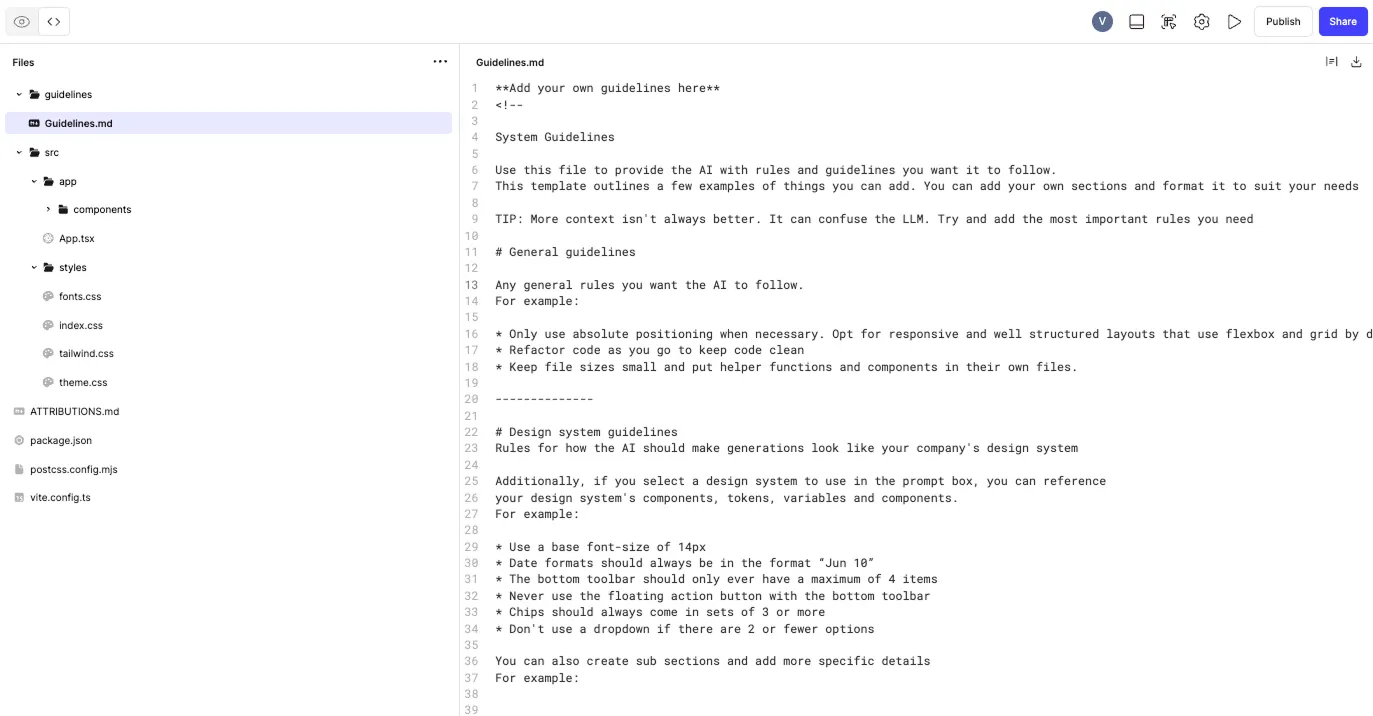
The theme is simple: consistency and constraints reduce iteration — and iteration is what burns credits.
What's next and things to explore
Well, I guess I'm out of credits for this month until my next reset in April. But that's not stopping me from exploring alternatives. The credit cost on Figma Make is honestly too expensive for sustainable use, so here's what I'm planning to compare:
- Pencil.dev — A different take on AI-assisted design that might offer a more sustainable pricing model.
- Claude Code + Figma MCP — Using Claude's coding capabilities paired with the Figma Model Context Protocol could be an interesting alternative. I'm curious how similar or different the output and cost would be compared to Figma Make.
- Google's newly released Stitch — Google's been making moves in this space, and their new stitching capabilities might provide another viable path.
The goal isn't just to find a cheaper tool — it's to understand the tradeoffs. Different tools will excel in different areas, and I'm betting the winning workflow will be a combination of the right tool for the right job, not a one-size-fits-all solution.
So where does this go from here?
If tools like Figma Make keep improving at this pace, the bottleneck shifts away from execution and toward judgment: knowing what to build, why it matters, and how it fits into a real product and business.
My wishlist for Figma Make:
One feature that would make Figma Make significantly more sustainable: the ability to bring your own API keys or connect to open-source models. This would let teams:
- Reduce costs by using their own Claude/OpenAI subscriptions or open models
- Choose the right model for each task (faster/cheaper models for simple iterations, top-tier models for complex decisions)
- Maintain ownership of their data and prompts
- Scale usage without the credit ceiling
Why I'll keep coming back despite the costs:
Figma Make is genuinely transformative. The time savings alone pay for the credits — a $3,000-5,000 token spend on a complex dashboard somehow feels reasonable when you consider it replaced weeks of back-and-forth between design and engineering. But more than speed, it's about:
- Democratizing design capabilities — non-designers can now articulate and build working interfaces
- Rapid prototyping at unprecedented velocity — what took days now takes hours
- Better design outcomes — the AI often produces cleaner, more consistent designs than I would manually
- Learning acceleration — working with AI pushes your own design thinking forward
- Focus on what matters — less time pixel-pushing, more time on product strategy and business logic
The real differentiator
When building gets faster, the quality of the idea — and the clarity of intent — becomes what matters most. Figma Make doesn't just speed up execution; it raises the ceiling on what's achievable with a good idea. You can prototype five variations in a day instead of being locked into one approach for weeks.
That's the part I'm most excited about: not just working faster, but thinking bigger. And when a tool fundamentally changes what you believe is possible, that's worth paying for.
Useful Links
- Introducing Claude Code to Figma — Figma's official announcement on Claude Code integration
- Figma Community Gallery — Browse community-made templates and design resources
- Explore Figma Make — Official guide to getting started with Figma Make